const text = ` Extension to help you develop [components](https://discovery.near-docs.io) using the [BOS](https://near.org). ## Features - Retrieve any component from BOS - Change the code and preview the changes locally - Publish directly to the NEAR Blockchain - See the widget logs in the Debug Console 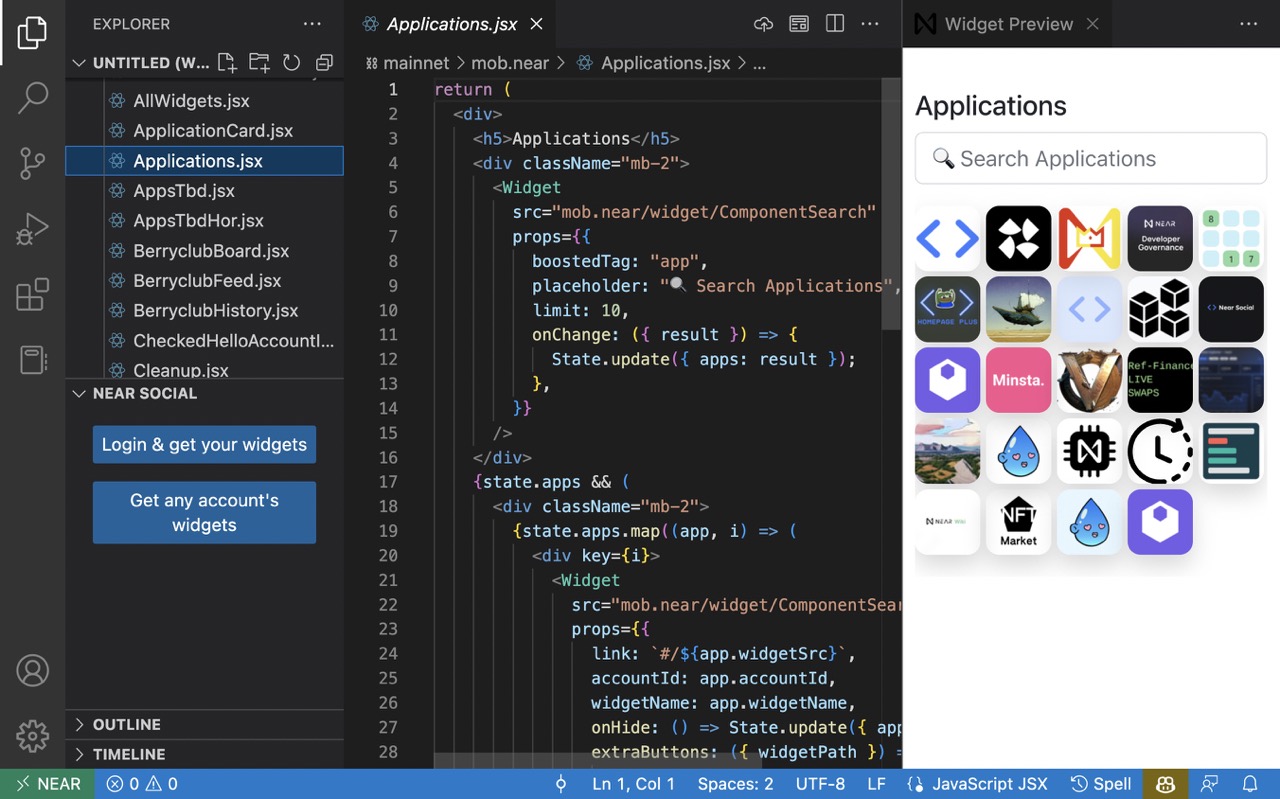 ## How to Use After installing the widget, a new section named **Near BOS** will be added to the explorer. Choose a folder to start using it. ### Retrieve Widgets, Preview and Publish 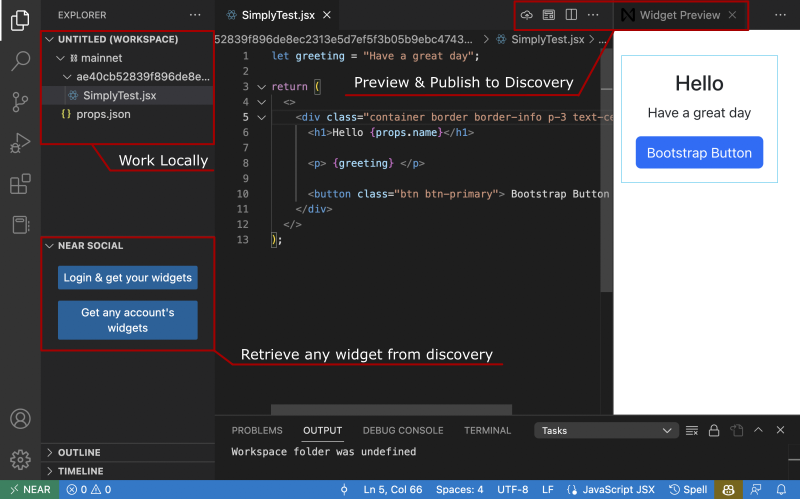 Use the Login & Fetch Widgets to login into your NEAR account and fetch your widgets, or use the Fetch Account Widgets the widgets of any account in NEAR Social. Use the explorer to open any file, and the preview button to preview your changes. _The preview is not automatically reloaded, you will need to press the preview button again._ _The console.log can be found within the OUTPUT tab, in the Widget Channel._ Use the publish buttons to store the widget in Discovery. `; const cssFont = fetch( "https://fonts.googleapis.com/css2?family=Manrope:wght@200;300;400;500;600;700;800" ).body; if (!state.theme) { State.update({ theme: styled.div` font-family: "Roboto", sans-serif; ${cssFont} ${css}`, }); } const Theme = state.theme; return ( <Theme> <div class="container pt-3 vw-80" style={{ display: "flex", justifyContent: "center" }} > <div style={{ width: "50vw" }}> <div style={{ padding: 32 }}> <div className="mb-3"> <h2 className="mb-3">BOS IDE</h2> <a className="btn btn-outline-success" href="https://marketplace.visualstudio.com/items?itemName=near-protocol.near-discovery-ide" > Install VS Code Extension </a> </div> <Markdown text={text} /> </div> </div> </div> </Theme> );